Risk Literacy/Real World Labs/web-based Exploration

<imagemap>File:JoshuaReynoldsParty.jpg|Image map example of The Club. Clicking on a person in the picture causes the browser to load the appropriate article.|350px|thumb
poly 133 343 124 287 159 224 189 228 195 291 222 311 209 343 209 354 243 362 292 466 250 463 Dr Johnson - Dictionary writer poly 76 224 84 255 43 302 62 400 123 423 121 361 137 344 122 290 111 234 96 225 Boswell - Biographer poly 190 276 208 240 229 228 247 238 250 258 286 319 282 323 223 323 220 301 200 295 Sir Joshua Reynolds - Host poly 308 317 311 270 328 261 316 246 320 228 343 227 357 240 377 274 366 284 352 311 319 324 David Garrick - actor poly 252 406 313 343 341 343 366 280 383 273 372 251 378 222 409 228 414 280 420 292 390 300 374 360 359 437 306 418 313 391 272 415 Edmund Burke - statesman rect 418 220 452 287 Pasqual Paoli - Corsican patriot poly 455 238 484 253 505 303 495 363 501 377 491 443 429 439 423 375 466 352 Charles Burney - music historian poly 501 279 546 237 567 239 572 308 560 326 537 316 530 300 502 289 Thomas Warton - poet laureate poly 572 453 591 446 572 373 603 351 562 325 592 288 573 260 573 248 591 243 615 254 637 280 655 334 705 396 656 419 625 382 609 391 613 453 Oliver Goldsmith - writer rect 450 86 584 188 prob.The Infant Academy 1782 rect 286 87 376 191 unknown painting circle 100 141 20 An unknown portrait poly 503 192 511 176 532 176 534 200 553 219 554 234 541 236 525 261 506 261 511 220 515 215 servant - poss. Francis Barber rect 12 10 702 500 Use button to enlarge or use hyperlinks
desc bottom-left </imagemap>
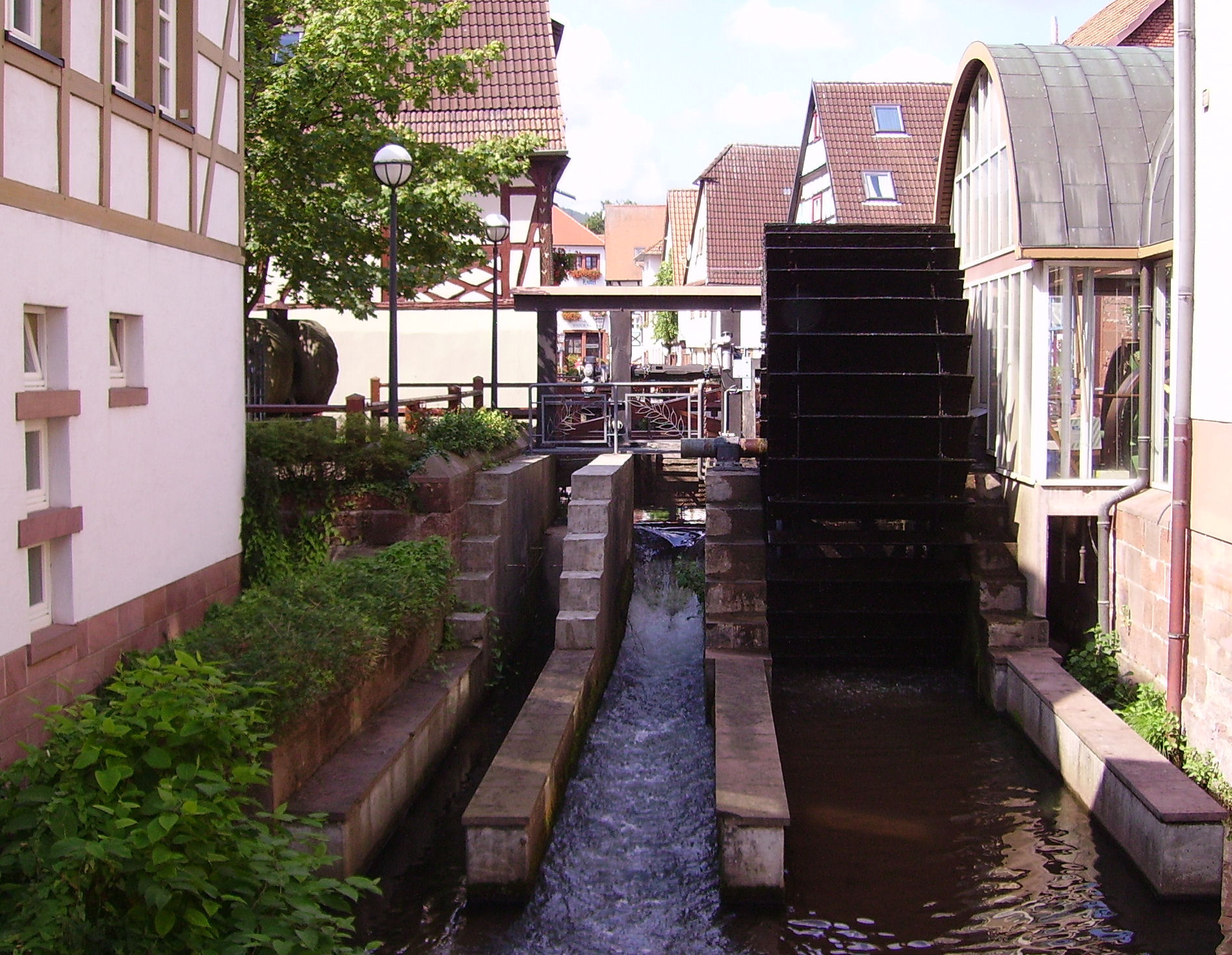
<imagemap>File:Annweiler Queich 05.JPG|Click on Water Wheel - Image River: Queich, City: Annweiler, Country: Germany|350px|thumb
rect 1178 344 1508 1243 Water Wheel Link to Wikipedia </imagemap>


With this learning resource you will be able to create web-based exploration platform for a Real World Lab. This approach combines a
- geographical map to show were the Real World Lab is located and
- image map that add clickable areas on an image with other web content and
- VR environments in AFrame for web-based exploration even with a VR headset.
This approach can replace the augmented reality approach with Mixare or AR.js that provides augmented reality in the browser.
Learning Tasks
360o Panorama and VR environments
Explore a option virtual reality environment which can be explored with a browser, VR headset or mobile device with e.g. Card Board.
Explain the options to improve risk literacy with a 3D environment and visualized invisible risks with exposure of users to risky situations physically. Design the VR environment as an exploratory learning resource with ToDos for the user (see also gamification and serious games).
Geographical Maps
- (Learner's Geolocation on Map) Learn about geolocation aware browser applications by checking the OpenLayers Example for Geolocation and press of the button "track position". This retrieve the geolocation of GPS or estimates geolocation by IP-address of browser.
- (Create your first web-based Map) Learn to create your first map on your computer.
- Install an OpenSource Editor Copy and Paste the code below the OpenLayers Example into the Atom-Editor and save the file. Browse your local file in your Webbrowser (e.g. Firefox, Chromium, Chrome, ...)
- Center the map over your Real World Map and select an appropriate zoom factor for your map in OpenLayers
Image Map
- Explore the Image Map features and the requirments and constraints for learners[1] with the following examples
- Image Map Example on Wikipedia - click on single person in painting on the right.
- You can create an Image Map in LibreOffice or GIMP. See Youtube Video for GIMP or you can try the Online image editor.
- Create ImageMaps with webbased tool ImgMap[2], that does
- Select images for your Real World Lab (e.g. the image on the right with the river Queich) and create an image map that informs about the objects seen on the image (e.g. the water wheel or the river). The ImageMap editor will defined clickable areas on the image. Users explore the Real World Lab just by the web browser by selecting the river bed, or a building. By clicking on the river or the building the user can select further details of river or the building (view inside the building).
- Use the following URL in the Online Image Map by Dario D. Müller (2017)
-
- Mark the water wheel and create a reference to an online resource in Wikipedia, that explains this type of old technology.
- Try other types of links that make a reference objects see on the image, e.g. a geographical map with a marker, that shows where the image was taken, or any other web-based resouce including quizzes, YouTube Videos, ...
- For further details see GIMP Image Maps in Wikiversity.
3D Panorama Videos
The OpenSource Library Valiant360[3] is a 360 degree panoramic video player.
- Look around (drag view) in top video on Valiant360 Website on GitHub
- As video source you need an equirectangular video (see example on Youtube[4])
- Exxplore an artifical 3D world with and panorama video (see also 3D Modelling)
- Explore Hardware Setup with 4 Cameras and explain why you need 4 cameras and an overlap of camera images!
- Explain the decomposition of video into single frame (e.g. 25 frames per second) and how a single webbased 360o Image[5] to explore the environment!
- Explore the device sensors of mobile device. Explain how these sensors can be used look around in a 3D video just by turning and moving the device.
- Explain how a geolocation at a mobile device can be used to add 360o to place yourself in 360o video refers to the current geolocation your are currently. View a flood event from previous years, so that the learner will be able to understand, what the impact will be for the current geolocation of the Real World Lab and learn and do something to make place a bit save (see Risk Awareness and Response to the perceived risk)
Integration of Approaches
The following learning task we will integrate digital maps with OpenLayers with Markers with 3D scenes in Aframe. Furthermore with will link an image map with wikipedia article for further information about the displayed people or objects in the images.
- (OpenLayers Map ) Create an OpenLayers Map with Markers4Map[6] that contain markers for a certain geolocation.
- OpenLayers Map with Wikipedia Content
- OpenLayer Map with 360o Panorama Image linked in Marker/Icon popup.
- (360o Image -Panorama) Create a webbased Image for that geolocation on Github with AFrame. Link in Wikiversity Source of this article is generated with Markers4Map by pressing the Display-Map-Button and copy the link in the browser URL.
- (Image Map) Create ImageMap with and image of the geolocation on the map and reference objects on the image to corresponding Wikipedia or Wikiversity articles that explain the purpose or background of the object.
See also
- AppLSAC
- Real World Lab
- Risk Management Learning Resources
- 3D Modelling
- Augemented Reality in Browser
- Image Maps in Wikiversity and Wikipedia
Tools
- Markers4Map - OpenSource GitHub Tool to create an URL that encodes the geolocation of markers with their pop-ups for OpenStreetMap in OpenLayers
- OpenLayers Display Markers - OpenSource GitHub Tool takes a JSON file as input via URL to display geo-encoded markers with pop-ups for OpenStreetMap Maps in OpenLayers
Links
- LibreOffice Image Maps
- W3 Schools example of Image Maps
- Geolocation in OpenLayers, With one click you can determine the geo-position on the map.
- Tracking and Simulate a Path in the Real World Lab.
- Online Image Map Generator - AppLSAC Tool Example for Wikiversity
- Create Image Maps with GIMP
References
- ↑ Allen, R. (1998). The Web: interactive and multimedia education. Computer Networks and ISDN Systems, 30(16), 1717-1727.
- ↑ ImgMap - Webbased OpenSource Tool for creating ImageMap for Wikiversity (accessed 2017/10/24) - https://niebert.github.io/imgmap - Download; https://www.github.com/niebert/imgmap (Offline use of ImageMap Editor)
- ↑ Valiant360 Github Repository of 360 degree panoramic video player (accessed 2017/09/12) - https://flimshaw.github.io/Valiant360/
- ↑ Example of Equirectangular Video on Youtube by (accessed 2017/10/19) - https://www.youtube.com/watch?v=US6IZ2vuLVk
- ↑ Doyle, S., Dodge, M., & Smith, A. (1998). The potential of web-based mapping and virtual reality technologies for modelling urban environments. Computers, Environment and Urban Systems, 22(2), 137-155.
- ↑ Markers4Map - Webbased HTML5 OpenSource tool with Browser storage of JSON file by application of LocalStorage (2017) - accessed 2017/10/24 - https://niebert.github.io/Markers4Map - Source Code Github: https://www.github.com/niebert/Markers4Map